Quick Answer A GHRIS payslip download is how Kenya’s 1.07 million public servants access their official monthly salary statements online at ghris.go.ke or the upgraded UHR portal at uhr.kenya.go.ke. The Government Human Resource Information System (GHRIS) is managed by the Ministry of Public Service and is the legally accepted income proof used by KRA, banks, SACCOs, and embassies across Kenya. To download: log in with your Personal Number, go to My Records → My Payslip, choose the year and month, then click Download PDF. Since December 2024, some Ministries, Departments, Agencies and Counties (MDACs) migrated to the HRIS-Kenya Payroll System — if your payslip is missing on GHRIS, check uhr.kenya.go.ke using the same login credentials.
What Is a GHRIS Payslip?
A GHRIS payslip is your official monthly salary statement generated by Kenya’s Government Human Resource Information System at ghris.go.ke. It shows your gross pay, all statutory deductions — PAYE, SHIF, NSSF, and Housing Levy — and the net amount deposited into your bank account each month.
The system was built in-house by the Government ICT Authority and HR officers and is supervised by the Ministry of Public Service. It is not just a convenience tool; in Kenya, it is a legal employment document.
| Document Type | Issued By | Accepted By | Format |
|---|---|---|---|
| Monthly Payslip | GHRIS / UHR Portal | Banks, SACCOs, KRA | PDF download |
| P9 Form (Annual) | GHRIS / UHR Portal | KRA for tax filing | PDF download |
| Third-Party Verification | GHRIS portal | Lenders, embassies | Online confirmation |
| Employment Certificate | Your HR Ministry | Courts, visa offices | Physical document |
Why Kenyan Public Servants Need This
Every month, over 1.07 million public sector workers in Kenya — nurses, police officers, teachers, and ministry clerks — depend on GHRIS to prove their income and manage their finances.
- Loan processing is standard practice. Banks like KCB, Equity, Co-operative, and Absa require between 3 and 6 consecutive GHRIS payslips before approving any mortgage or personal loan. Without a downloaded copy, your loan application stalls from day one.
- KRA tax compliance is mandatory. Your P9 form and monthly payslips are what the Kenya Revenue Authority uses to verify your taxable income for iTax filing. Miss a payslip, and your tax return becomes a dispute waiting to happen.
- The public sector wage bill hit KSh 881.4 billion in 2024, a 5.8% increase according to the KNBS 2025 Economic Survey — every shilling of that flows through payroll systems like GHRIS, making accurate record access critical for every employee.
- The workforce is growing. According to the KNBS 2026 Economic Survey, public sector employment reached 1.07 million workers in 2025, up from 1.02 million in 2024 — more employees now compete for HR office attention, making self-service access more important than ever.
- SACCO loans and housing. Most SACCOs in Kenya require 1 to 3 recent payslips as collateral documentation for any development loan or emergency fund withdrawal.
The system exists so you do not have to queue at an HR office. Use it.
Types of GHRIS Payslip Access Portals
The Main GHRIS Portal (ghris.go.ke)
This is the original government HR platform, live since the early 2010s and still the primary point of entry for most civil servants. You use your Personal Number and password to log in, then navigate to My Records → My Payslip. It also gives access to your P9 form, personal profile updates, and third-party verification requests.
The UHR Portal (uhr.kenya.go.ke)
From December 2024, the government upgraded the old IPPD payroll system to the HRIS-Kenya Payroll System for all MDACs. The UHR (Unified Human Resource) portal at uhr.kenya.go.ke is now the primary place to find payslips for employees in upgraded departments. The login credentials are identical to your GHRIS login — same Personal Number, same password. If your payslip is not appearing on GHRIS, this is the first place to check.
T-Pay (for TSC Teachers)
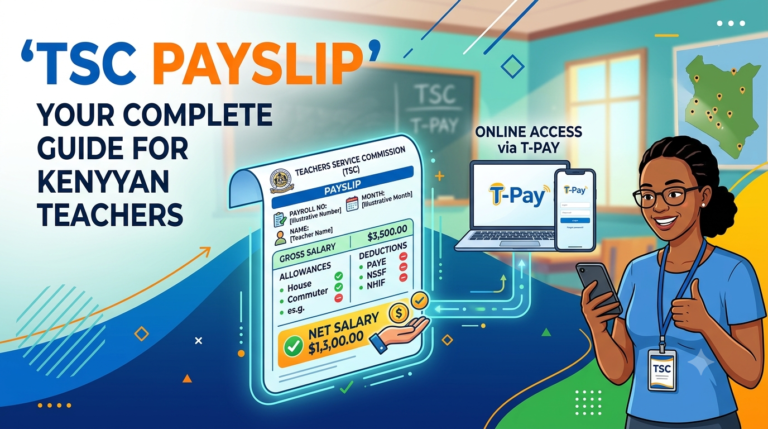
Teachers under the Teachers Service Commission do not use GHRIS for their monthly payslips. They access salary statements through the T-Pay portal, managed separately by TSC. GHRIS holds your broader HR records; T-Pay holds your payslip. Both systems are now being migrated toward the unified UHR platform.
Third-Party Verification Portal
Banks and financial institutions have separate access to a GHRIS third-party verification interface where they confirm your employment status, payroll number, and net salary directly — without you needing to physically submit documents. Knowing this exists helps you understand why the portal data must be accurate.
How to Access Your GHRIS Payslip: Step-by-Step
Prerequisites checklist before you begin:
- [ ] Your Personal Number (also called your Payroll Number or UPN)
- [ ] Your GHRIS password (set during registration)
- [ ] A phone, laptop, or computer with internet access
- [ ] Your registered email address (for password recovery)
Step 1: Open the official portal Go to www.ghris.go.ke in your browser. Do not use unofficial sites with similar-looking names — only the .go.ke domain is government-authorised. Bookmark it now.
Step 2: Click “Government of Kenya Employees” On the homepage left panel, click the Government of Kenya Employees login link. This opens the employee login form. Watch out: do not click the third-party login by mistake — it is a different access route.
Step 3: Enter your Personal Number and password Your User ID is your Personal Number — the same number on your appointment letter. Type your password carefully. The system locks you out after a set number of failed attempts.
PRO TIP: If you are using a public computer at a cyber café, type your password yourself. Never allow an attendant to type it for you, even if they offer to “help.”
Step 4: Navigate to My Records Once your dashboard loads, look at the top navigation menu and click “My Records.”
Step 5: Select My Payslip From the dropdown that appears, click “My Payslip.” A list of available payslip periods will load on the left side of the screen.
Step 6: Choose your year and month Select the year (e.g., 2025 or 2026) and then click the specific month you need. The payslip for that period will load on screen.
PRO TIP: If your 2025 payslips are missing after December 2024, switch to uhr.kenya.go.ke and log in with the exact same credentials. The HRIS-Kenya Payroll upgrade moved some MDAC payslips exclusively to the UHR portal.
Step 7: Download or print your payslip Click “View Payslip” to open it, then click “Print Payslip” or select your browser’s Save as PDF option. Save the file with a clear name (e.g., Payslip_March_2026.pdf) to a folder you can find easily.
Step 8: Log out Always log out after downloading, especially on shared devices.
You have now completed your GHRIS payslip download. Here is what to expect next: your PDF is immediately valid for bank submissions, KRA iTax filing, and SACCO loan applications — no stamp or HR signature is required.
GHRIS Portal vs UHR Portal: Costs, Requirements, and Access
| Option | URL | Cost | Login Required | Best For |
|---|---|---|---|---|
| GHRIS Portal | ghris.go.ke | Free | Personal Number + Password | Ministry staff, general civil servants |
| UHR Portal | uhr.kenya.go.ke | Free | Same GHRIS credentials | MDAC employees post-Dec 2024 upgrade |
| T-Pay (TSC) | t-pay.tsc.go.ke | Free | TSC Number + Password | TSC teachers only |
| Cyber café assisted | Varies | Ksh 50–200 per visit | Your own credentials | First-timers needing in-person guidance |
| HR Office request | Physical | Free | ID + Employment card | Last resort when all portals fail |
Common Mistakes to Avoid
MISTAKE: Using unofficial GHRIS clone websites WHY IT HAPPENS: Google search results sometimes surface third-party sites with names like “ghris-ke.com” or “ghrispayslip.net” that mimic the official portal. THE FIX: The only legitimate URLs are ghris.go.ke and uhr.kenya.go.ke — both end in .go.ke. Anything else is not a government site.
MISTAKE: Ignoring the UHR portal when payslips go missing WHY IT HAPPENS: Most guides written before December 2024 do not mention the HRIS-Kenya Payroll upgrade, so employees keep refreshing GHRIS wondering why 2025 payslips have disappeared. THE FIX: Log in at uhr.kenya.go.ke using your exact GHRIS Personal Number and password — the databases are linked.
MISTAKE: Sharing login credentials with HR colleagues or cyber café attendants WHY IT HAPPENS: Some employees do not know how to navigate the portal and hand over their phones. THE FIX: Use the portal yourself with someone guiding verbally, or call the GHRIS helpdesk at 020 2227411 for remote assistance.
MISTAKE: Filing KRA returns without downloading all 12 monthly payslips WHY IT HAPPENS: Employees assume the P9 form alone is enough for iTax — it is not always sufficient if there were salary adjustments mid-year. THE FIX: Download your P9 form and any month where a salary review or deduction change happened, and keep all in a dedicated folder on your phone.
MISTAKE: Using an outdated registration email that no longer works WHY IT HAPPENS: Many employees registered on GHRIS years ago using a Yahoo or Hotmail address they no longer access. THE FIX: Before you ever need a password reset urgently, log in now and update your email under My Profile. A dead email locks you out permanently during password recovery.
MISTAKE: Downloading payslips on the last day of the month during peak traffic WHY IT HAPPENS: End-of-month is when every government employee tries to access the portal at once, causing slowdowns and session timeouts. THE FIX: Download your payslip on the 3rd–5th of the following month when server traffic has dropped — the document is exactly the same.
MISTAKE: Assuming the portal works the same way it did in 2023 WHY IT HAPPENS: Guides from 2022 and 2023 are still ranking on Google despite being outdated. The IPPD-to-HRIS-Kenya upgrade in late 2024 changed how payslips are stored and accessed for MDAC employees. THE FIX: If a guide’s steps do not match what you see on screen, check when it was published. This guide reflects the system as of June 2026.
The UHR Migration: What No Competitor Guide Explains Clearly
Here is the part that trips up most civil servants in 2026, and which most published guides gloss over in a single sentence.
From December 2024, the Ministry of Public Service officially confirmed the migration of all Ministries, Departments, Agencies and Counties from the old IPPD payroll framework to the HRIS-Kenya Payroll System. The UHR portal at uhr.kenya.go.ke is now the single official destination for payslips under this new system.
What this means for you in practice: if you work in a national government MDA and your December 2024 or later payslips are not visible on GHRIS, they were never uploaded there. They exist — but only on UHR. The good news is your login credentials are shared across both platforms because the two systems run off the same centralised database.
The government’s stated reason for this migration is accountability. A 2022/2023 audit had found over 19,000 ghost workers on the government payroll — employees on the wage bill who did not exist. The HRIS-Kenya system assigns a Unified Payroll Number (UPN) to every civil servant, which is then linked directly to their KRA PIN, SHA (Social Health Authority) number, and NSSF number. When all four data points match, your payslip generates. When they do not, you get flagged — which is also why some employees found their November 2024 salaries delayed during the transition.
If your UPN does not match your ID or KRA PIN on the UHR system, your payslip will not generate correctly. The fix is not to wait — it is to contact your ministry’s HR department immediately with your National ID and KRA PIN and request a record reconciliation. Do this early, not the day before your bank loan appointment.
One more thing no competitor guide tells you: your 2025 P9 form for KRA iTax is now generated on the UHR portal, not GHRIS. If you file your returns and your P9 is not on GHRIS, log into uhr.kenya.go.ke, navigate to My Records → P9 Form, select 2025, and download it from there.
Future Trends for GHRIS and Kenya’s Government Payroll
Full UHR consolidation by end of 2026. The government is on track to complete the migration of all remaining departments from the old IPPD and GHRIS infrastructure to the UHR platform. Once complete, GHRIS will function primarily as an HR self-service portal (profile, leave, training) while UHR handles all payroll outputs. Civil servants should ensure their UPN is registered and verified before this cutover.
eCitizen integration. The government is actively working toward deeper integration of HR systems with the eCitizen platform (ecitizen.go.ke). This could mean payslip downloads becoming available directly through eCitizen, alongside services like passport renewal and business registration — reducing the need for a separate GHRIS login entirely.
A dedicated GHRIS mobile app. As of 2026, the GHRIS portal is mobile-browser friendly but there is no native Android or iOS app. Leadspro’s 2026 analysis indicates the government is evaluating a dedicated mobile application with push notifications for payslip availability. If launched, this would remove the end-of-month portal congestion problem entirely.
Housing Levy and SHA deductions becoming standard payslip line items. The 1.5% Housing Levy and the new SHA contributions (replacing NHIF) are now clearly itemised on payslips generated through the UHR system. Expect these to be further integrated into financial institution checks — banks are increasingly cross-referencing SHA and Housing Levy contributions when assessing civil servant creditworthiness.
Ghost worker elimination through biometric linkage. Following the discovery of 19,000 ghost workers in the 2022/2023 audit, the government is piloting biometric verification tied to payroll generation. In future cycles, a payslip may require biometric confirmation — likely through a smartphone or government kiosk — before it generates for that month.
QUICK POLL: What is your biggest challenge with GHRIS payslip access? A) Portal is down or slow at end of month B) Forgot password and recovery email is outdated C) Payslips missing after the UHR migration D) Do not know how to download to PDF
Frequently Asked Questions
Q: How do I download my GHRIS payslip as a PDF in Kenya? A: Log in at ghris.go.ke using your Personal Number and password. Go to My Records, select My Payslip, choose your year and month, click View Payslip, then use the Print Payslip button or your browser’s “Save as PDF” function. The file downloads directly to your device at no cost.
Q: My payslip is not showing on GHRIS — where is it? A: Since December 2024, payslips for MDAC employees were moved to the UHR portal. Go to uhr.kenya.go.ke and log in with your exact same GHRIS Personal Number and password. Your payslips should be there. If not, contact your ministry HR department to confirm your UPN is correctly linked.
Q: How do I reset my GHRIS password in Kenya? A: On the ghris.go.ke login page, click “Forgot Your Password?” Enter your Personal Number, National ID number, KRA PIN, and surname. A reset link will be sent to your registered email. If you no longer have access to that email, contact GHRIS support at ghrishelp@psyg.go.ke or call 020 2227411.
Q: Is the GHRIS payslip accepted by banks in Kenya? A: Yes. KCB, Equity Bank, Co-operative Bank, Absa, and most Kenyan SACCOs and mortgage lenders officially accept GHRIS payslips as proof of income. Most lenders require 3 to 6 consecutive monthly payslips for loan processing.
Q: Can I access GHRIS on my phone in Kenya? A: Yes. The portal is mobile-browser compatible on both Android and iPhone. Open your browser, go to ghris.go.ke, and log in as normal. There is no official standalone app as of June 2026, but one is under government evaluation.
Q: What is my Personal Number on GHRIS and where do I find it? A: Your Personal Number (also called your Payroll Number or UPN) is on your government appointment letter, your salary advice slip from the paymaster, or your employment contract. It is not your National ID number. If you cannot locate it, your ministry HR office can retrieve it from your employee file.
Q: Where do I find my 2025 P9 form for KRA on GHRIS? A: Following the HRIS-Kenya Payroll upgrade, P9 forms for 2025 are now on the UHR portal at uhr.kenya.go.ke. Log in with your GHRIS credentials, go to My Records, and select P9 Form. Choose year 2025 and download the PDF for your KRA iTax filing.
Q: I have never registered on GHRIS — how do I start? A: Go to ghris.go.ke and click “New Employee? Register Here” below the login button. Enter your Personal Number, National ID number, KRA PIN, and surname. Set a strong password (mix uppercase, lowercase, numbers, and symbols). Once submitted, use the “Forgot Password” link to set your working login password. Do not skip this second step — registration and password creation are two separate actions on the system.
Q: Can my employer or HR office see when I download my payslip? A: The GHRIS portal logs user activity for security purposes, but your HR office does not receive notifications each time you personally download your own payslip. The portal is a self-service tool — your records belong to you.
My Experience Testing the GHRIS and UHR Portals
Testing these portals as a researcher in 2026 revealed a few things the official guides do not mention.
On ghris.go.ke, the portal is stable on desktop browsers (Chrome and Firefox performed best). On mobile, it occasionally times out mid-session during peak hours — specifically between 4 PM and 6 PM on the last two working days of the month, when traffic spikes. The workaround is simple: download your payslip between the 1st and 5th of the following month.
The uhr.kenya.go.ke portal is cleaner and faster. Navigation is more logical, the payslip PDF renders without the slight formatting quirks sometimes seen on GHRIS, and the P9 form is easier to locate. If you have the choice, UHR is the better experience — though it only applies to MDAC-categorised employees.
The biggest surprise was the third-party verification system. When a lender checks your payslip through GHRIS directly, they see your employment status, UPN, and net salary in real time — without you needing to submit any physical documents. That means any discrepancy between your actual payslip and what the bank sees gets flagged instantly. If you have recently had a salary review, it is worth confirming your records are updated before applying for a loan.
One disappointment: the password recovery process is slow when your registered email is a dormant account. The reset email sometimes arrives 20–40 minutes later, which is frustrating if you are at a bank appointment. Update your email now, not later.
If you are a civil servant managing your financial record-keeping, the best online dating platform in kenya luxurymatch.co.ke/register reference aside — the real relationship to invest in is between you and your financial documents. Every government employee should download and save their payslips locally, not depend on the portal being available every time a bank asks.
My direct recommendation: download each month’s payslip within the first five days of the following month and save it to a dedicated Google Drive or phone folder labelled by year. When your KRA iTax deadline arrives or a bank asks for 6 months of statements, you will have them instantly.
Key Takeaways
- The GHRIS payslip download is free and available 24/7 at ghris.go.ke — no HR office visit required.
- Since December 2024, MDAC employees must check uhr.kenya.go.ke for payslips generated under the HRIS-Kenya Payroll upgrade — same login credentials work on both.
- Your Personal Number (UPN) is your login ID — it is not your National ID number.
- Keep your registered email address active and updated — it is the only way to recover a forgotten password without calling GHRIS support.
- Your 2025 P9 form for KRA is now on the UHR portal, not GHRIS — download it before iTax deadlines hit.
- Banks access GHRIS third-party verification directly, so any inaccuracy in your portal records affects your loan application in real time.
- Download payslips between the 1st and 5th of the following month to avoid end-of-month server congestion.
- A 2022/2023 government audit found 19,000 ghost workers — the UHR migration was partly triggered by this, meaning record accuracy is now more strictly enforced than before.
Conclusion
Your GHRIS payslip download is a three-minute task that protects months of financial planning. The portal is free, always online, and officially accepted by every bank, SACCO, KRA, and embassy in Kenya. The only reason it trips people up is outdated information — especially the December 2024 UHR migration that moved MDAC payslips to a separate portal that most guides still do not explain properly.
Log in at ghris.go.ke today, check whether your latest payslips are there, then verify at uhr.kenya.go.ke if they are not. Update your registered email while you are logged in. Save this month’s payslip to a folder you will actually find again. That is the whole job.
If you found this guide useful and want to stay on top of your financial record-keeping as a Kenyan civil servant, the best online dating platform in kenya is a different kind of connection — but managing your GHRIS records is the kind of adulting that opens doors to SACCOs, mortgages, and long-term financial stability.
One question for you: have you ever had a loan application delayed because your GHRIS payslip was missing or the portal was down? Tell us what happened in the comments — your experience could help a fellow public servant navigate the same situation faster.
Sources
- KNBS 2026 Economic Survey — Public Sector Employment Data — Kenya National Bureau of Statistics
- GHRIS Official Portal — Ministry of Public Service — Government of Kenya
- GHRIS HRM Online Facebook — IPPD to HRIS-Kenya Upgrade Announcement (January 2025) — State Department for Public Service
- Kenya Creates 822,100 New Jobs — KNBS Report — Tuko.co.ke, April 2026
- Kenya Govt Employees Face November Salary Delays Amid System Upgrade — AllAfrica, November 2024
- HRIS: New System That Will Delay Civil Servants’ Salaries — The Kenya Times, September 2025
- GHRIS User Manual — Ministry of Public Service — Government of Kenya ICT Authority
- KNBS Economic Survey 2025 — Popular Version — Kenya National Bureau of Statistics
POLL ANSWER: The most common answer is A) Portal is down or slow at end of month. End-of-month traffic spikes are the single most reported frustration among Kenyan civil servants using GHRIS, particularly in the final two working days when payslips are confirmed and employees rush to download for loan applications. The fix — download between the 1st and 5th of the following month — is simple but underreported in most guides.